How to Log In to XtremeChat

LOG IN TO CONTINUE PRIVATE CONVERSATIONS ONLINE RIGHT NOW
How to Log In to XtremeChat
The XtremeChat login process lets users access their account, verify their email, complete age verification, and manage account settings. XtremeChat is built around online conversations, giving users a simple way to connect with professional chat partners* and interact directly within the platform. This guide explains how to log in to XtremeChat on desktop and mobile, how to create a new account, and what to do if you can’t access your profile. You’ll also find practical fixes for common XtremeChat login problems, including password recovery, authentication errors, locked accounts, and login page loading issues.
XtremeChat Login – Step-by-Step Guide
The XtremeChat login process is simple when you use the correct access page and enter the details linked to your account. Follow the steps below to complete your XtremeChat sign-in securely on desktop or mobile.
How to Access the XtremeChat Login Page
To start the XtremeChat account login process, open the official XtremeChat login page in your browser. Make sure you are using the correct website address and not a copied link from an unknown email, ad, or third-party page.
- Open your preferred browser on desktop or mobile.
- Go to the official XtremeChat website.
- Select the “Login” or “Registration” option.
- Wait for the XtremeChat login page to load fully.
- Check that the page uses a secure connection before entering your login credentials.
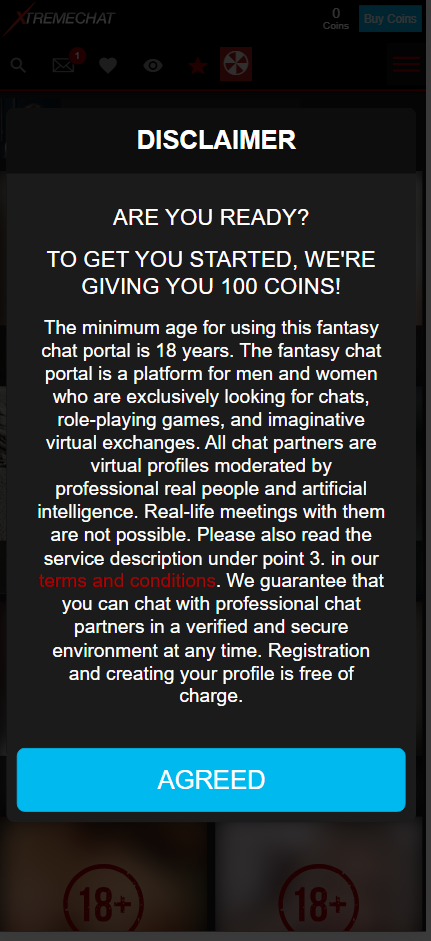
For safer account access, avoid logging in through unfamiliar links. We recommend bookmarking the XtremeChat login page for more direct and safer access to the fetish chat.
Entering Your Email and Password
Once you reach the login page, enter the email address and password linked to your account. Your login credentials must match the details you used during registration.
- Type your registered email address into the email field.
- Enter your password carefully.
- Check for spelling mistakes, extra spaces, or incorrect capitalization.
- Select “Login.”
If you see an XtremeChat authentication error, do not keep trying random passwords. Too many failed attempts may temporarily block access or trigger additional verification.
Logging In on Desktop and Mobile Devices
The XtremeChat login process is similar on desktop and mobile devices, but the layout may look different depending on screen size.
On desktop:
- Open the official website in a supported browser.
- Select the XtremeChat login option from the main navigation.
- Enter your email and password.
- Continue to the website page once access is approved.
- Verify your email address to finish setting up your account access.
On mobile:
- Open the XtremeChat website from your phone browser.
- Choose the “Login” option.
- Enter your account details.
- Proceed to the website page after verification.
- Confirm your email address.
For the best mobile login experience, keep your browser updated and avoid using private browsing if saved login sessions are required.
How to Create a New XtremeChat Account
Before accessing XtremeChat, new users need to register and create their login credentials. To complete the setup and unlock account access, users must also complete age verification with ID and verify their email address.
XtremeChat Sign-Up Process
If you do not already have an account, you need to complete the XtremeChat sign-up process before you can log in. Registration requires basic account details and simple verification steps.
- Go to the official XtremeChat website.
- Select “Registration.”
- Enter the required registration details: username and email address.
- Create a strong password.
- Choose your gender and who you are looking for.
- Accept the required terms and policies.
- Submit the form to create an account.
- Complete age verification with ID when prompted.
- Verify your email address to finish setting up account access.
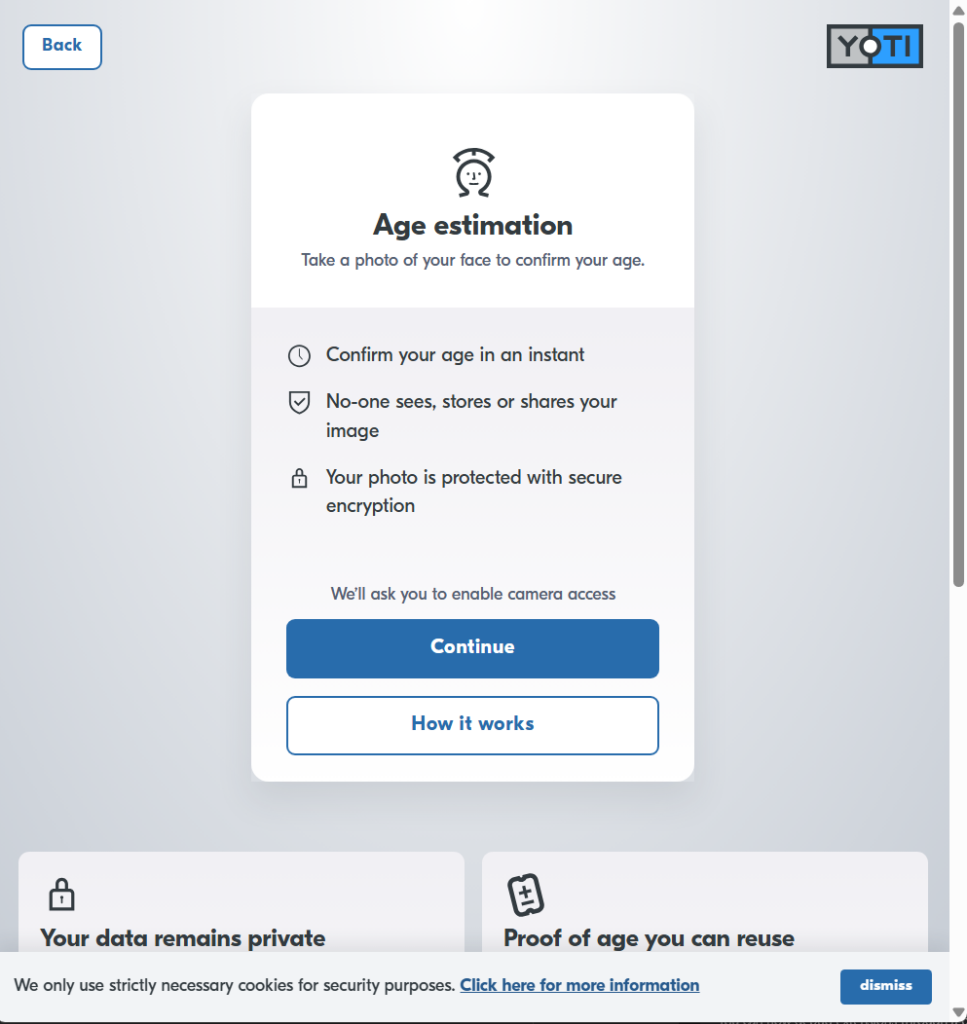
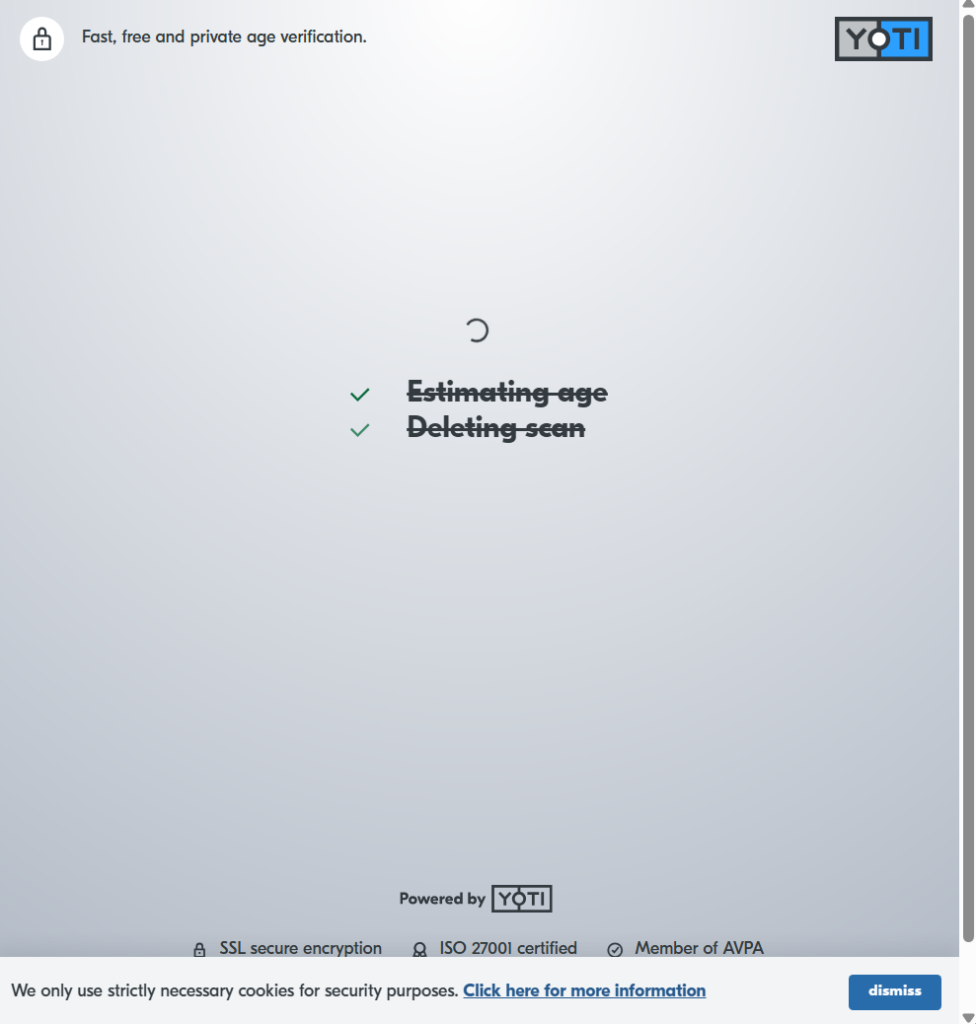

After registration, users can receive a welcome bonus. Additional welcome bonuses may apply depending on country and seasonal availability. Age verification with ID is required to unlock most platform content, and after verifying their age, users can receive even more bonus coins.
Email Verification Steps
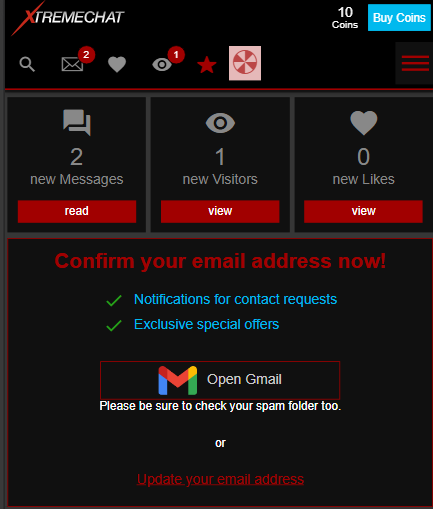
Email verification helps confirm that you own the email address used during registration.
- Check your inbox after signing up.
- Open the verification email from XtremeChat.
- Select the verification link.
- Return to the XtremeChat page.
If the email does not arrive, check your spam, junk, promotions, or blocked sender folders. You can also request a new verification email from the support area.
XtremeChat Login Problems and How to Fix Them
XtremeChat login problems can happen for several reasons, including incorrect credentials, unverified account details, browser issues, or temporary access restrictions. Start with the most common fixes below before contacting support, as many sign-in issues can be solved with password recovery, email verification, or basic browser troubleshooting.
Forgot Password – How to Reset It
If you forgot your password, use the XtremeChat password reset option instead of creating a new account.
- Go to the XtremeChat login page.
- Select “Forgot Password?”
- Enter the email address linked to your account.
- Check your inbox for the password recovery email.
- Follow the reset link.
- Create a new strong password.
- Return to the login page.
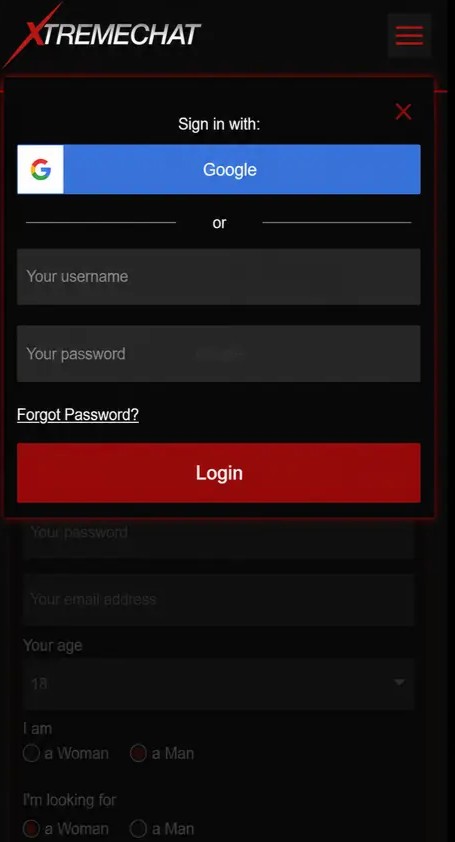
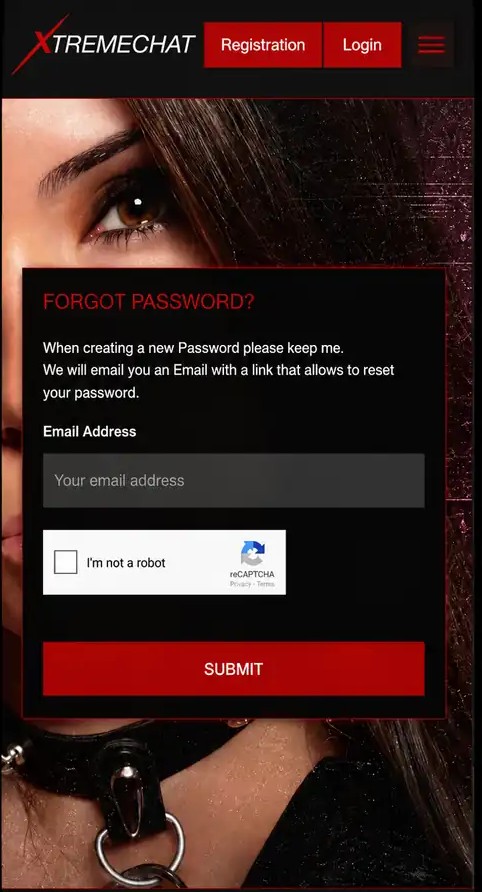
If you do not receive the reset email, check your spam folder and confirm that you entered the correct email address. For repeated password recovery issues or other account access problems, scroll down to the “Help / Support” footer section and select “Contact Form” for direct access to our support team.
Incorrect Login Credentials
Incorrect login credentials are one of the most common XtremeChat login problems. This can happen when the email address is misspelled, the wrong password is entered, or saved browser data fills in outdated details.
Try the following:
- Re-enter your email address manually.
- Check that Caps Lock is turned off.
- Remove extra spaces before or after your email.
- Use the password reset option if you are unsure of your password.
- Disable autofill temporarily and type the password yourself.
If you still can’t log in to XtremeChat, avoid repeated attempts and start the account recovery process.
Account Locked or Verification Required
Your account may be temporarily locked after too many failed login attempts. To fix this:

- Wait before trying to log in again if too many attempts were made.
- Check your email for verification or account access instructions.
- Complete the requested email verification step.
- Finish the required age verification process.
- Contact support if your account still remains locked.
Age verification is required on the platform, and without it, most content remains locked and not visible. Verification providers may vary by country, so follow the instructions shown in your account area.
XtremeChat Login Page Not Loading
If the XtremeChat login page is not loading, the issue may be related to your browser, network, device, or extensions.
Try these troubleshooting steps:
- Refresh the page.
- Clear your browser cache and cookies.
- Disable ad blockers or privacy extensions temporarily.
- Turn off your VPN and try again.
- Use a different browser.
- Update an outdated browser.
- Check browser compatibility on mobile and desktop.
- Try another internet connection.
If the page still does not load, wait and try again later or contact support. Include the device, browser, and error message when reporting the issue.
Is XtremeChat Login Safe?
A secure XtremeChat login depends on using the official login page, protecting your password, and keeping your account details verified. Before signing in, make sure your device, browser, and email access are secure so your account recovery options remain protected.
Account Security and Privacy Tips
A secure login helps protect your XtremeChat account access and personal information. Use a strong password that is unique to your account and avoid reusing passwords from other websites.
Follow these safety tips:
- Use a strong password with letters, numbers, and symbols.
- Never share your login credentials.
- Be aware of phishing emails or fake login pages.
- Only sign in from secure devices.
- Keep your browser and device updated.
- Verify your email when requested.
- Log out when using shared or public devices.
You should also review the Privacy Policy to understand how account and verification-related information is handled.
LOG IN TO CONTINUE PRIVATE CONVERSATIONS ONLINE RIGHT NOW
Frequently Asked Questions About XtremeChat Login
You may not be able to log in on XtremeChat if your email or password is incorrect, your account is locked, your email is not verified, or age verification is required. Browser cache, VPNs, ad blockers, and outdated browsers can also cause login issues.
Go to the XtremeChat login page and select the password reset option. Enter your registered email address, follow the password recovery link, and create a new password.
You may be able to stay logged in on more than one device. However, for safety, avoid staying logged in on shared or public devices.
You can delete your XtremeChat account from the “My Profile” page. Open your profile area, select the three-line menu next to your profile options, and choose “Delete Account” from the dropdown.
No. You need to create an account before you can use XtremeChat and access the main area. Registration helps protect account access by creating personal login credentials, while email verification and age verification add extra safety checks before full access is available.
The page may not load because of browser cache, network issues, VPN settings, ad blockers, or an outdated browser. Clear cache and cookies, disable extensions temporarily, update your browser, or try another device.
After XtremeChat sign-up, check your inbox for the verification email. Open the message and click the verification link. Once you press the link, you are signed in to your XtremeChat account on the website.