XtremeChat Payments and Pricing

Online sex chat with a close-up portrait of woman flirting online

XtremeChat Payments and Pricing
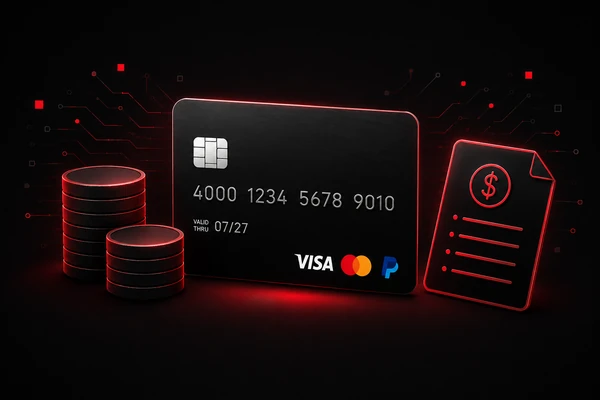

XtremeChat pricing is based on a coin system rather than a subscription. Users purchase coins in advance and use them for chats, messages, or premium interactions with professional chat partners* on the fantasy platform. This means the XtremeChat payment process is designed around one-time purchases, with no subscription required and no recurring charges applied automatically. Instead of paying a monthly fee, users choose a coin package, complete checkout, and use their balance as they interact. This page explains how payments work, which payment methods may be available, how special offers are shown, and what users should know before confirming a purchase.

How XtremeChat Pricing Works

XtremeChat pricing works through prepaid coins. Users buy coins on XtremeChat before starting or continuing paid interactions. Once coins are added to the account, they can be used for messages or other interactions available within the platform.

Coins are deducted based on actual usage. For example, if a certain message or interaction requires coins, the relevant amount is removed from the user’s balance when that action is completed. The exact cost may depend on the type of interaction.

The key points are:

  • Users purchase coins before using paid features.
  • Coins are deducted from the user’s balance based on the interactions they use.
  • There are no automatic renewals.
  • There is no recurring billing.

To buy coins on XtremeChat, users select a coin package, review the checkout details, choose an available payment method, and confirm the payment. After a successful transaction, coins are added to the user account so they can be used on the platform. Coins are credited immediately after successful completion of the order process, or at the latest within two hours.
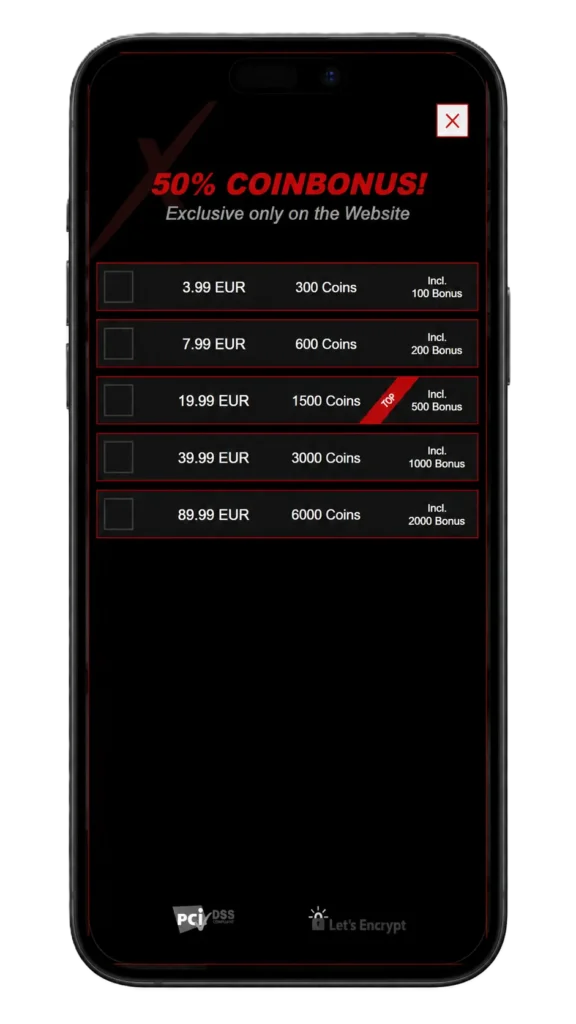
coin-packages

Does XtremeChat Have a Subscription?

XtremeChat does not use a subscription model for its coin-based chat system. Instead of committing to a weekly or monthly plan, users buy coins as a one-time purchase and spend them on chats, messages, or other paid interactions for online exchanges with professional chat partners*. This gives users more control over how much they spend, because there are no automatic renewals, no required monthly payments, and no recurring billing connected to standard coin purchases.

The difference is simple: a subscription continues charging until it is cancelled, while XtremeChat works on a pay-per-use coin system. Users can choose when to buy more coins, depending on their balance and how often they use the platform. Before confirming any XtremeChat payment, they can review the selected package and billing information shown at checkout.

Payment Methods Accepted on XtremeChat

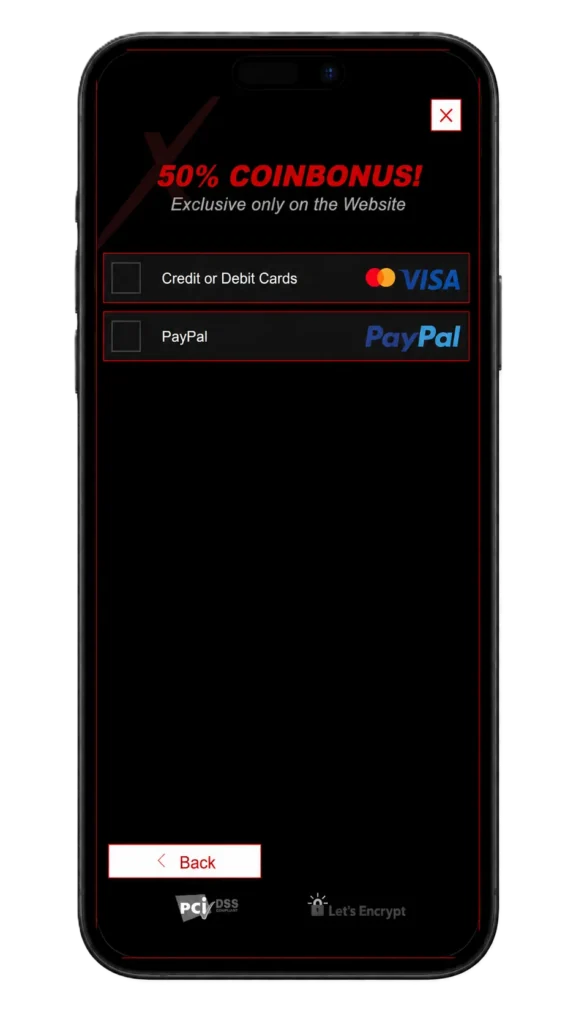
XtremeChat payment methods may vary depending on region and payment provider options shown to the user. XtremeChat payment methods include credit or debit cards, PayPal, instant transfer options, and other locally available options.

Commonly referenced payment options may include:

  • Credit and debit cards
  • PayPal
  • Instant transfer options
  • Other locally available payment methods shown at checkout

Users should rely on the payment options displayed during the checkout process, because availability can differ by country, account, or payment provider.
payment-methods-xtremechat

Credit and Debit Card Payments

XtremeChat credit card payment options are available through the checkout page. When paying by card, users enter their billing information, choose the coin package they want to purchase, and confirm the transaction. For credit card payments, the charge can appear on the user’s bank or card statement under XtremeChat or the relevant payment processor name. Card payments are useful for users who prefer a direct checkout process with familiar billing details and transaction confirmation through their bank or card provider.

Paying with PayPal

PayPal can be available as one of the XtremeChat payment methods during checkout. When PayPal is selected, the payment is completed through the PayPal checkout flow before the purchased coins are added to the account. This option may be preferred by users who want to pay without entering card details directly on the checkout page. PayPal availability can vary depending on country, account settings, or payment provider availability, so it will only appear when supported for that purchase.

Instant Transfer Options

Instant bank transfer or other local payment options can be available during checkout, depending on country and payment provider availability. Unlike credit or debit card payments, these methods are completed through a bank account or online banking flow rather than by entering card details. In some cases, the payment may require bank selection, login confirmation, or transaction approval through the relevant banking provider. Since these options can vary, the checkout page gives the most accurate view of which local payment methods are available before purchase.

Special Offers and Bonus Coins
special-offer

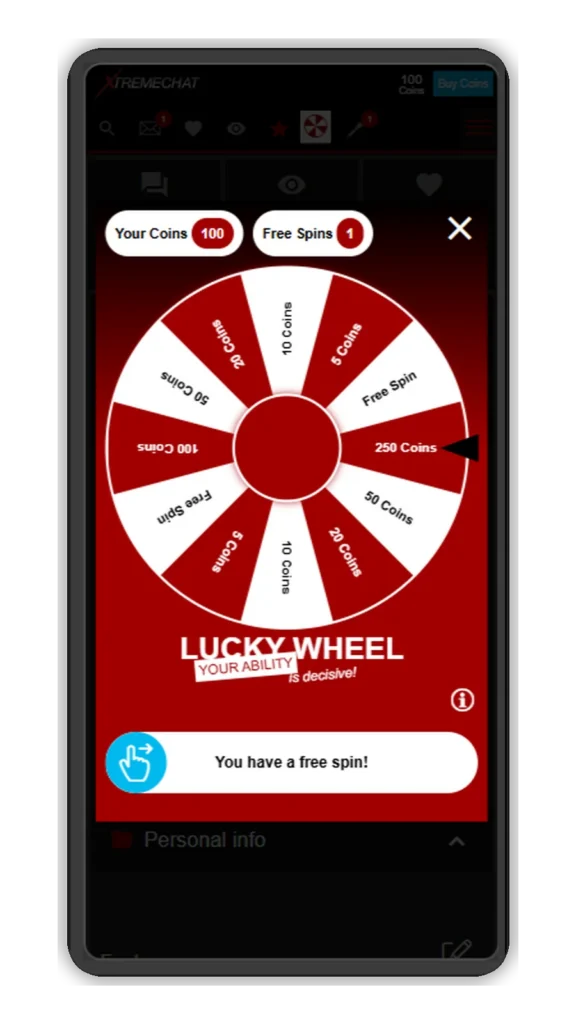
New users can receive welcome bonus coins after registration, and completed age verification can unlock additional bonus coins. These coins are added to the account balance for use in paid interactions on XtremeChat. LuckyWheel offers another way to earn coins, allowing users to spin for a chance to increase their balance outside of standard coin purchases.
lucky-wheel

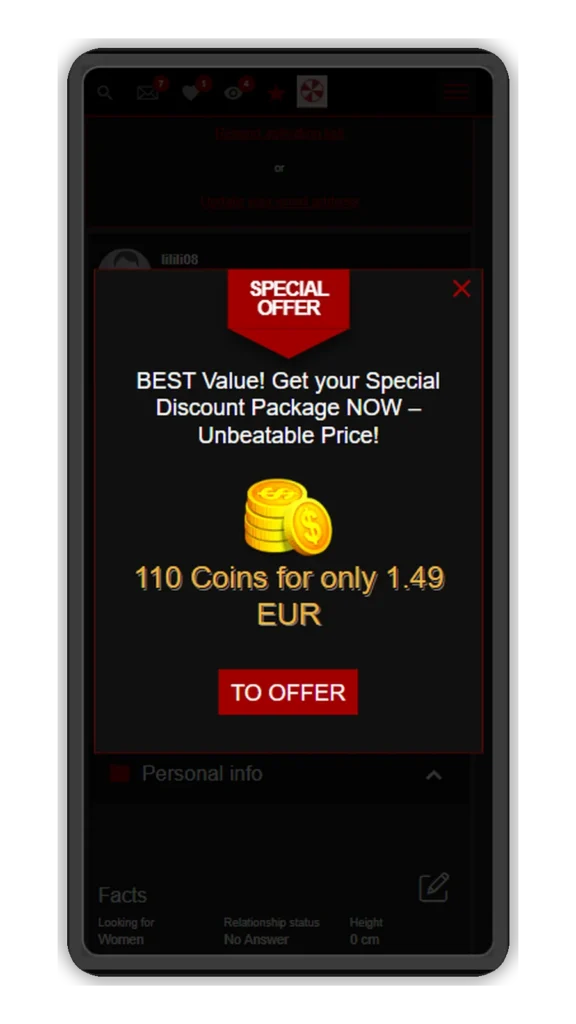
XtremeChat special offers may appear during the checkout process. These offers can vary and may include bonus coins, discounted coin bundles, or package-based promotions. Availability may depend on the user, region, selected package, or timing.

Any special offer should be displayed before the user confirms the purchase. Users should review the checkout screen carefully to understand how many coins are included, whether bonus coins apply, and what the final payment amount will be.

Special offers are not guaranteed on every purchase. If no bonus or promotional offer appears during checkout, the selected package should be treated as the active pricing option.

special-offer

Is XtremeChat Payment Secure?

XtremeChat payment processing is handled through checkout systems and payment providers used for card, PayPal, and other supported payment methods. A secure payment process should include transaction verification, encrypted checkout pages, and standard payment security practices used by payment processors.

Users should make sure they complete payments only through the official XtremeChat checkout flow. Billing details should be entered only on secure payment pages, and users should review the package, amount, and payment method before confirming the transaction.

For payment security, users should also check their billing information after purchase and contact support if they do not recognize a charge, if coins are not added as expected, or if a transaction appears incorrect.

Online sex chat with a close-up portrait of woman flirting online

Frequently Asked Questions

The XtremeChat cost depends on the coin package selected during checkout. XtremeChat pricing is usually shown before purchase confirmation, including the amount of coins included in the package. Users should check the live checkout page for current pricing, currency, and available options.

No, the standard XtremeChat subscription model does not apply to the coin-based payment system described here. Users buy coins on XtremeChat as a one-time purchase and use those coins for chats or other interactions. There are no automatic renewals for coin purchases.

XtremeChat recurring payments are not part of the basic coin purchase model. Users pay only when they choose to buy coins. Before confirming any payment, users can still review the checkout details to make sure the purchase is a one-time transaction.

XtremeChat payment methods may include credit and debit cards, PayPal, or other local options where supported. The exact options can vary by region and payment provider. Users should follow the methods displayed on the checkout page.

Refund eligibility depends on the platform’s current terms and the specific payment situation. Users should avoid assuming that every credit purchase is refundable. For billing questions, failed payments, or refund-related concerns, users should contact XtremeChat support or review the Terms & Conditions.

A payment may be declined because of incorrect billing details, insufficient funds, bank restrictions, payment provider checks, card limits, or failed transaction verification. Users should confirm that their payment information is correct and try another supported method if available. If the issue continues, the user’s bank, PayPal, or XtremeChat support may be able to provide more information.

Coins are prepaid units used for chats or other interactions. Users buy coins on XtremeChat, receive them in their account after successful payment, and spend them based on platform usage. Once the balance is low or empty, users can choose whether to purchase more.
Discover related articles

How to Log In to XtremeChat

Online sex chat with a close-up portrait of woman flirting online

How to Log In to XtremeChat

The XtremeChat login process lets users access their account, verify their email, complete age verification, and manage account settings. XtremeChat is built around online conversations, giving users a simple way to connect with professional chat partners* and interact directly within the platform. This guide explains how to log in to XtremeChat on desktop and mobile, how to create a new account, and what to do if you can’t access your profile. You’ll also find practical fixes for common XtremeChat login problems, including password recovery, authentication errors, locked accounts, and login page loading issues.

XtremeChat Login – Step-by-Step Guide

The XtremeChat login process is simple when you use the correct access page and enter the details linked to your account. Follow the steps below to complete your XtremeChat sign-in securely on desktop or mobile. 

How to Access the XtremeChat Login Page

To start the XtremeChat account login process, open the official XtremeChat login page in your browser. Make sure you are using the correct website address and not a copied link from an unknown email, ad, or third-party page.

  1. Open your preferred browser on desktop or mobile.
  2. Go to the official XtremeChat website.
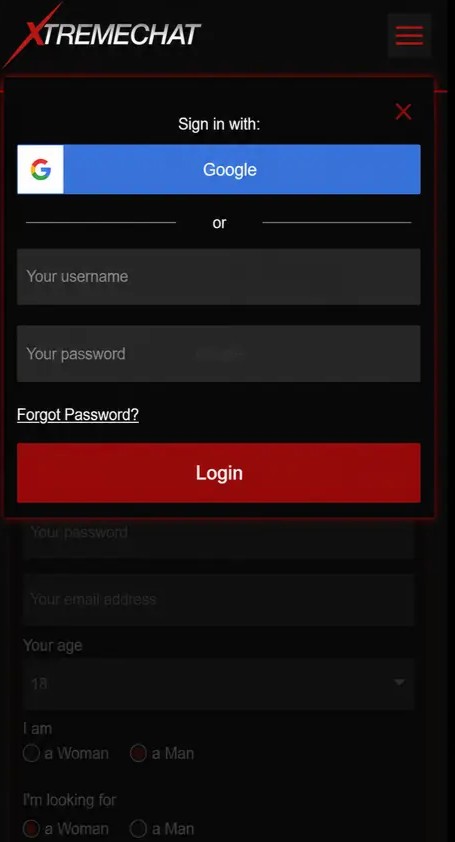
  3. Select the “Login” or “Registration” option.
  4. Wait for the XtremeChat login page to load fully.
  5. Check that the page uses a secure connection before entering your login credentials.
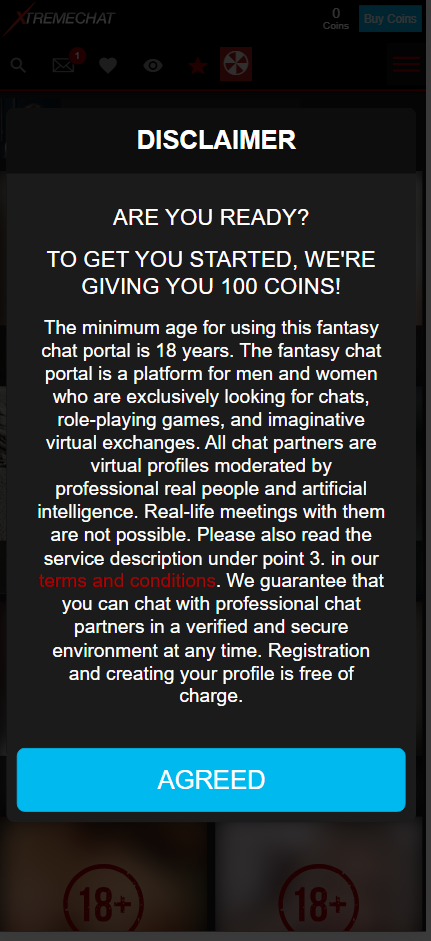
disclaimer

For safer account access, avoid logging in through unfamiliar links. We recommend bookmarking the XtremeChat login page for more direct and safer access to the fetish chat.

Entering Your Email and Password

Once you reach the login page, enter the email address and password linked to your account. Your login credentials must match the details you used during registration.

  1. Type your registered email address into the email field.
  2. Enter your password carefully.
  3. Check for spelling mistakes, extra spaces, or incorrect capitalization.
  4. Select “Login.”

If you see an XtremeChat authentication error, do not keep trying random passwords. Too many failed attempts may temporarily block access or trigger additional verification.

Logging In on Desktop and Mobile Devices

The XtremeChat login process is similar on desktop and mobile devices, but the layout may look different depending on screen size.

On desktop:

  1. Open the official website in a supported browser.
  2. Select the XtremeChat login option from the main navigation.
  3. Enter your email and password.
  4. Continue to the website page once access is approved.
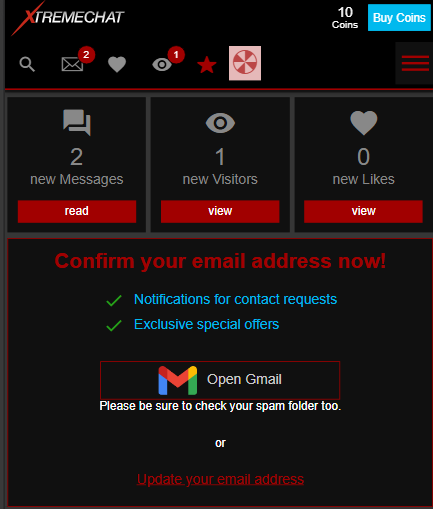
  5. Verify your email address to finish setting up your account access.

On mobile:

  1. Open the XtremeChat website from your phone browser.
  2. Choose the “Login” option.
  3. Enter your account details.
  4. Proceed to the website page after verification.
  5. Confirm your email address.

For the best mobile login experience, keep your browser updated and avoid using private browsing if saved login sessions are required.

How to Create a New XtremeChat Account

Before accessing XtremeChat, new users need to register and create their login credentials. To complete the setup and unlock account access, users must also complete age verification with ID and verify their email address. 

XtremeChat Sign-Up Process

If you do not already have an account, you need to complete the XtremeChat sign-up process before you can log in. Registration requires basic account details and simple verification steps.

  1. Go to the official XtremeChat website.
  2. Select “Registration.”
  3. Enter the required registration details: username and email address.
  4. Create a strong password.
  5. Choose your gender and who you are looking for.
  6. Accept the required terms and policies.
  7. Submit the form to create an account.
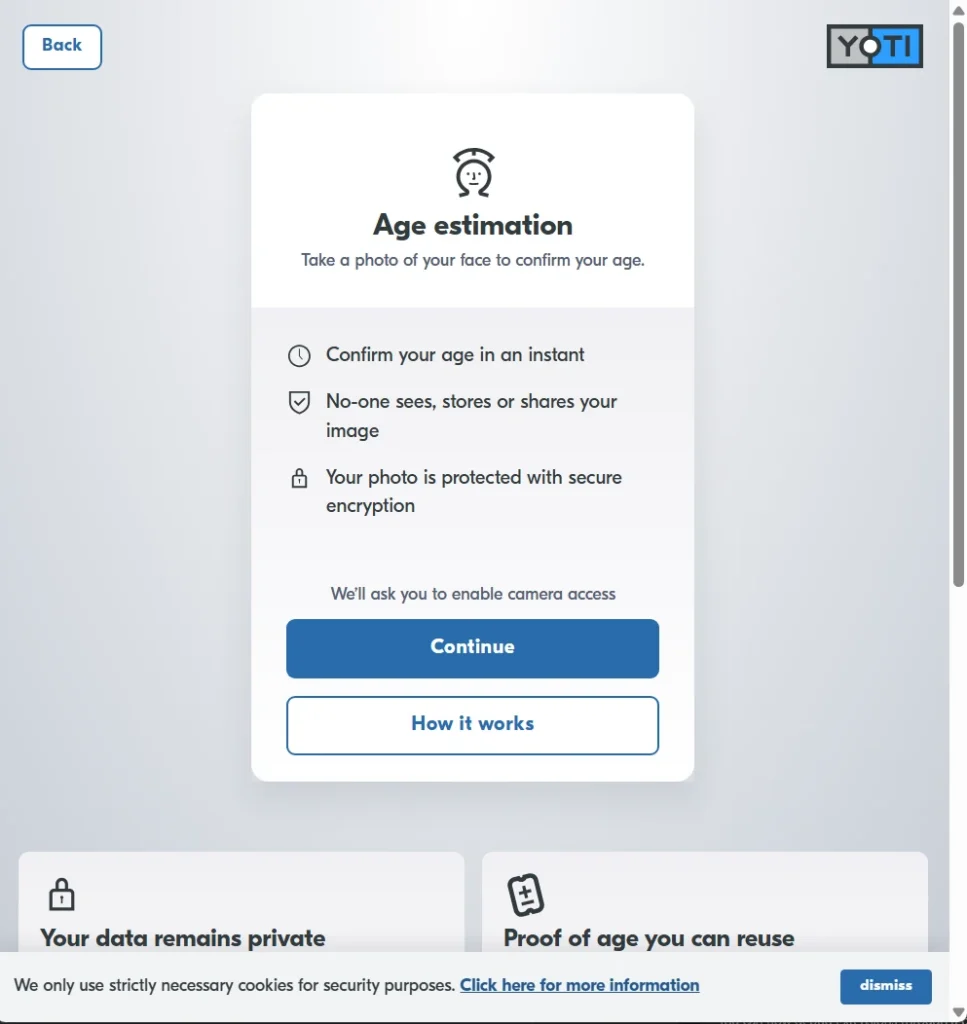
  8. Complete age verification with ID when prompted.
  9. Verify your email address to finish setting up account access.
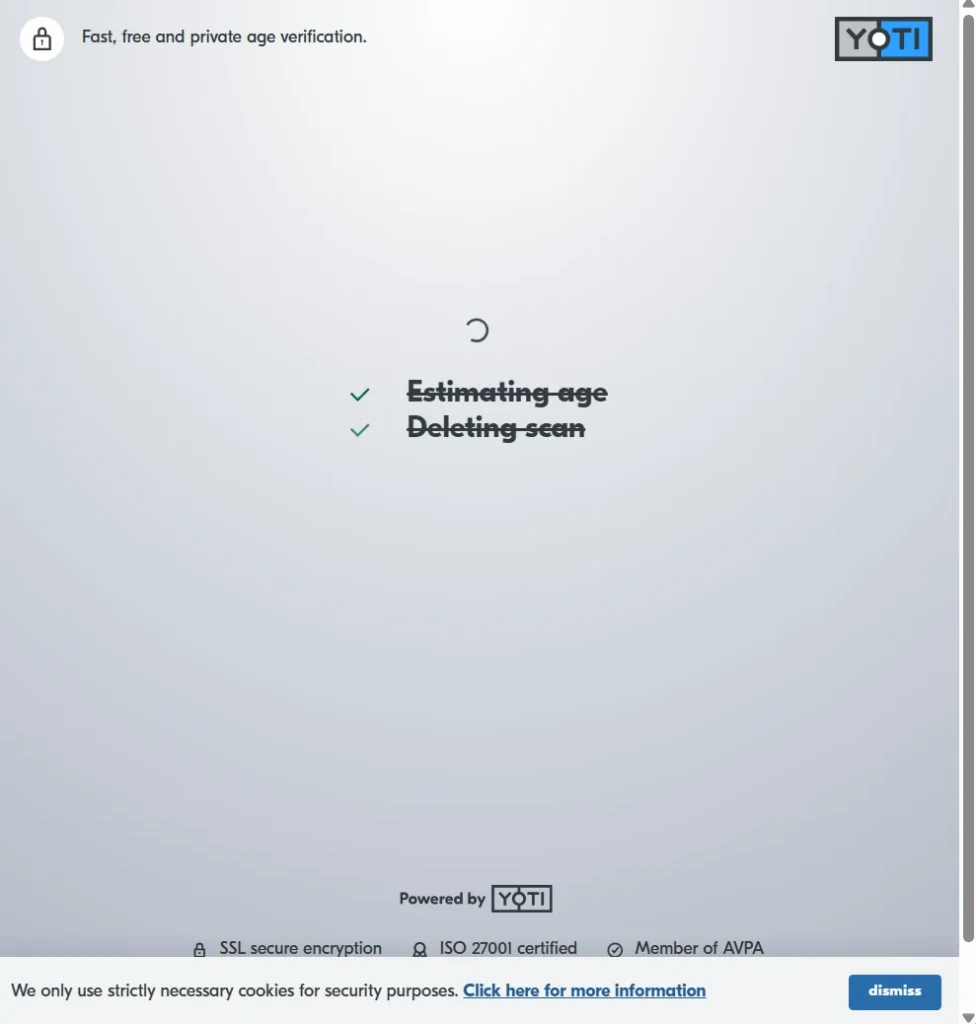
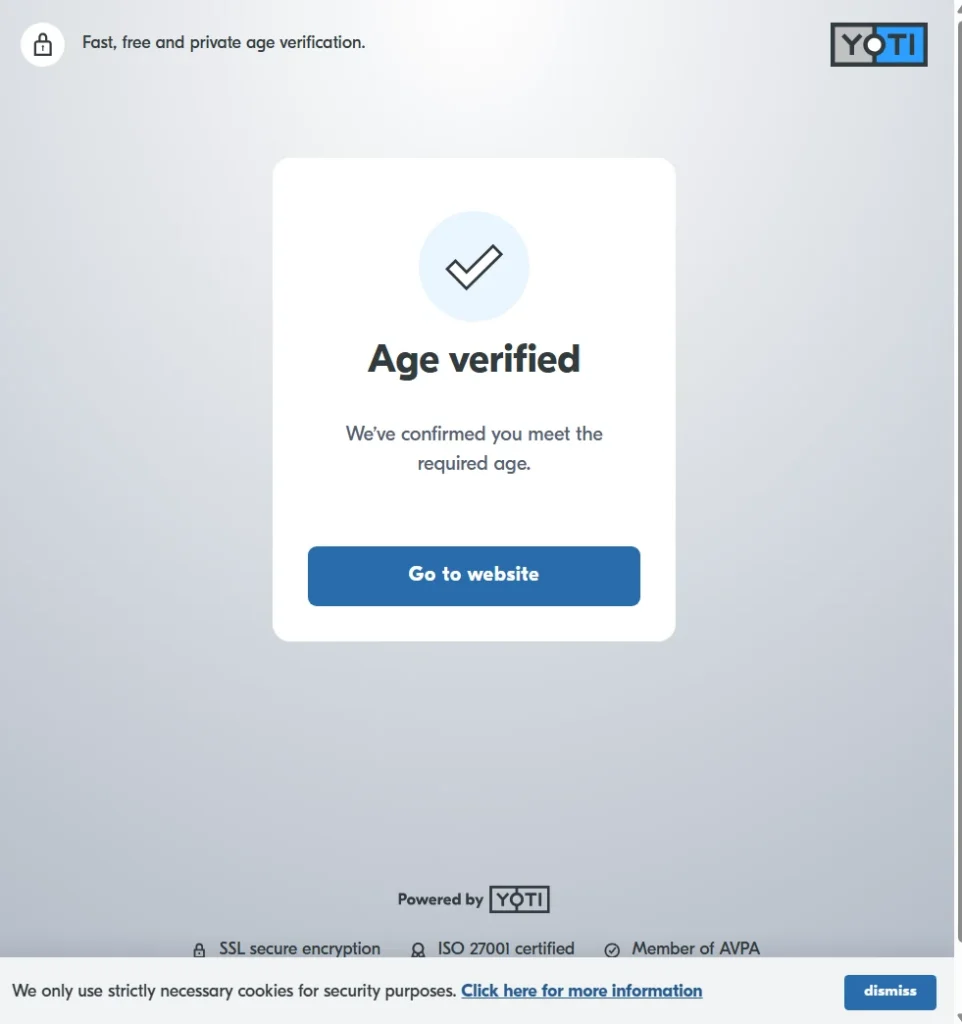
age-verification-step-1
age-verification-step-2
age-verification-step-3

After registration, users can receive a welcome bonus. Additional welcome bonuses may apply depending on country and seasonal availability. Age verification with ID is required to unlock most platform content, and after verifying their age, users can receive even more bonus coins.

Email Verification Steps

Email verification helps confirm that you own the email address used during registration.

  1. Check your inbox after signing up.
  2. Open the verification email from XtremeChat.
  3. Select the verification link.
  4. Return to the XtremeChat page.

If the email does not arrive, check your spam, junk, promotions, or blocked sender folders. You can also request a new verification email from the support area.

email verification

XtremeChat Login Problems and How to Fix Them

XtremeChat login problems can happen for several reasons, including incorrect credentials, unverified account details, browser issues, or temporary access restrictions. Start with the most common fixes below before contacting support, as many sign-in issues can be solved with password recovery, email verification, or basic browser troubleshooting. 

Forgot Password – How to Reset It

If you forgot your password, use the XtremeChat password reset option instead of creating a new account.

  1. Go to the XtremeChat login page.
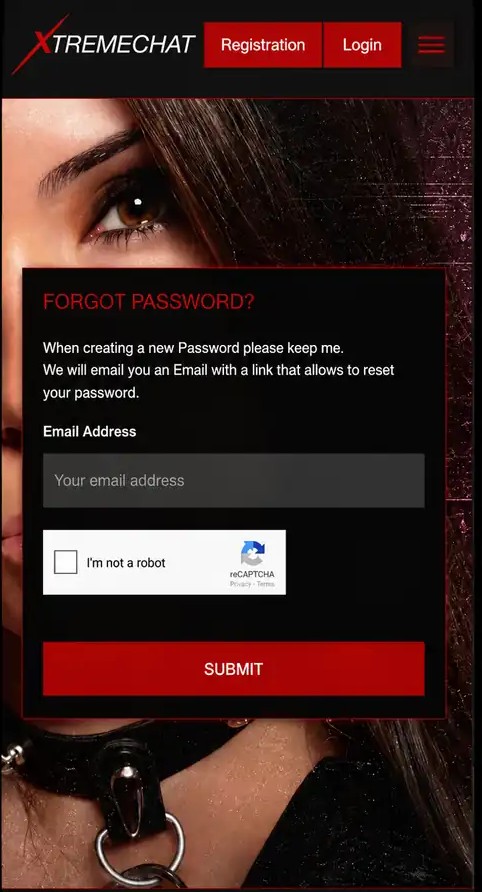
  2. Select “Forgot Password?”
  3. Enter the email address linked to your account.
  4. Check your inbox for the password recovery email.
  5. Follow the reset link.
  6. Create a new strong password.
  7. Return to the login page.
forgot-password-1-step
forgot-password-2-step

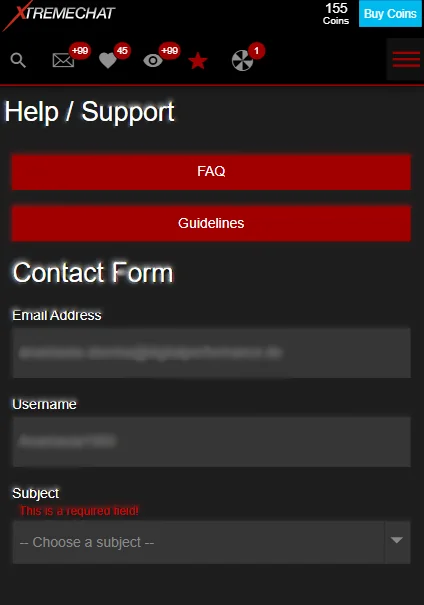
If you do not receive the reset email, check your spam folder and confirm that you entered the correct email address. For repeated password recovery issues or other account access problems, scroll down to the “Help / Support” footer section and select “Contact Form” for direct access to our support team.

Incorrect Login Credentials

Incorrect login credentials are one of the most common XtremeChat login problems. This can happen when the email address is misspelled, the wrong password is entered, or saved browser data fills in outdated details.

Try the following:

  • Re-enter your email address manually.
  • Check that Caps Lock is turned off.
  • Remove extra spaces before or after your email.
  • Use the password reset option if you are unsure of your password.
  • Disable autofill temporarily and type the password yourself.

If you still can’t log in to XtremeChat, avoid repeated attempts and start the account recovery process.

Account Locked or Verification Required

Your account may be temporarily locked after too many failed login attempts. To fix this:

access-restricted
  1. Wait before trying to log in again if too many attempts were made.
  2. Check your email for verification or account access instructions.
  3. Complete the requested email verification step.
  4. Finish the required age verification process.
  5. Contact support if your account still remains locked.

Age verification is required on the platform, and without it, most content remains locked and not visible. Verification providers may vary by country, so follow the instructions shown in your account area.

XtremeChat Login Page Not Loading

If the XtremeChat login page is not loading, the issue may be related to your browser, network, device, or extensions.

Try these troubleshooting steps:

  • Refresh the page.
  • Clear your browser cache and cookies.
  • Disable ad blockers or privacy extensions temporarily.
  • Turn off your VPN and try again.
  • Use a different browser.
  • Update an outdated browser.
  • Check browser compatibility on mobile and desktop.
  • Try another internet connection.

If the page still does not load, wait and try again later or contact support. Include the device, browser, and error message when reporting the issue.

Is XtremeChat Login Safe?

A secure XtremeChat login depends on using the official login page, protecting your password, and keeping your account details verified. Before signing in, make sure your device, browser, and email access are secure so your account recovery options remain protected. 

Account Security and Privacy Tips

A secure login helps protect your XtremeChat account access and personal information. Use a strong password that is unique to your account and avoid reusing passwords from other websites.

Follow these safety tips:

  • Use a strong password with letters, numbers, and symbols.
  • Never share your login credentials.
  • Be aware of phishing emails or fake login pages.
  • Only sign in from secure devices.
  • Keep your browser and device updated.
  • Verify your email when requested.
  • Log out when using shared or public devices.

You should also review the Privacy Policy to understand how account and verification-related information is handled.

Online sex chat with a close-up portrait of woman flirting online

Frequently Asked Questions About XtremeChat Login

You may not be able to log in on XtremeChat if your email or password is incorrect, your account is locked, your email is not verified, or age verification is required. Browser cache, VPNs, ad blockers, and outdated browsers can also cause login issues.

Go to the XtremeChat login page and select the password reset option. Enter your registered email address, follow the password recovery link, and create a new password.

You may be able to stay logged in on more than one device. However, for safety, avoid staying logged in on shared or public devices.

You can delete your XtremeChat account from the “My Profile” page. Open your profile area, select the three-line menu next to your profile options, and choose “Delete Account” from the dropdown.

No. You need to create an account before you can use XtremeChat and access the main area. Registration helps protect account access by creating personal login credentials, while email verification and age verification add extra safety checks before full access is available.

The page may not load because of browser cache, network issues, VPN settings, ad blockers, or an outdated browser. Clear cache and cookies, disable extensions temporarily, update your browser, or try another device.

After XtremeChat sign-up, check your inbox for the verification email. Open the message and click the verification link. Once you press the link, you are signed in to your XtremeChat account on the website.


Discover related articles

XtremeChat Safety and Security

Online sex chat with a close-up portrait of woman flirting online

XtremeChat Safety and Security

At XtremeChat, we place a high priority on safety standards and security protocols. Is XtremeChat safe to use? This guide gives you a clear look at how the platform approaches user safety, age verification, privacy, and account protection. We will explore the core security standards XtremeChat adheres to, while sharing essential tips to help users protect themselves. 

While data protection is our foundational commitment, maintaining a secure environment is a shared effort, which is why we provide you with the best strategies to make your account as safe as possible. 

We will focus on XtremeChat safety standards. Ultimately, to ensure XtremeChat remains a secure space for everyone, our protective measures are active from the moment you register, extending seamlessly into all chats.

Is XtremeChat Safe to Use?

XtremeChat is a fully legitimate platform, but to maximize your security in practice, you should familiarize yourself with the protective functions and tools we provide. While our platform features active content moderation, we deeply respect your privacy and ensure that everyone enjoys a safe and welcoming experience.

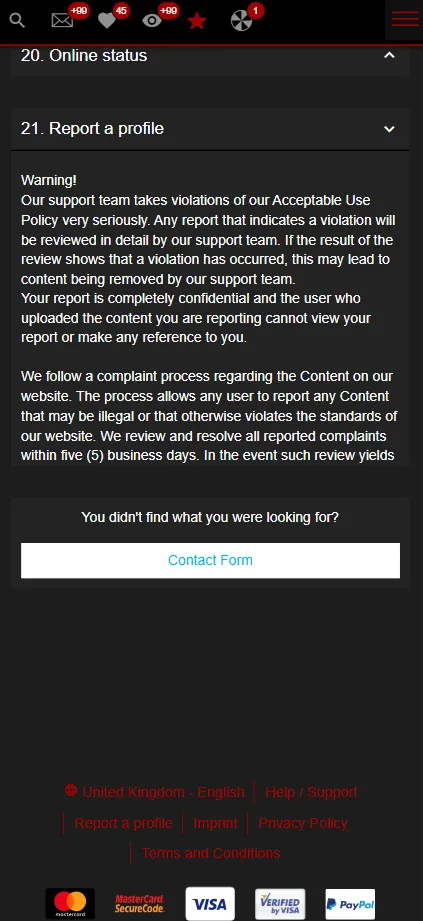
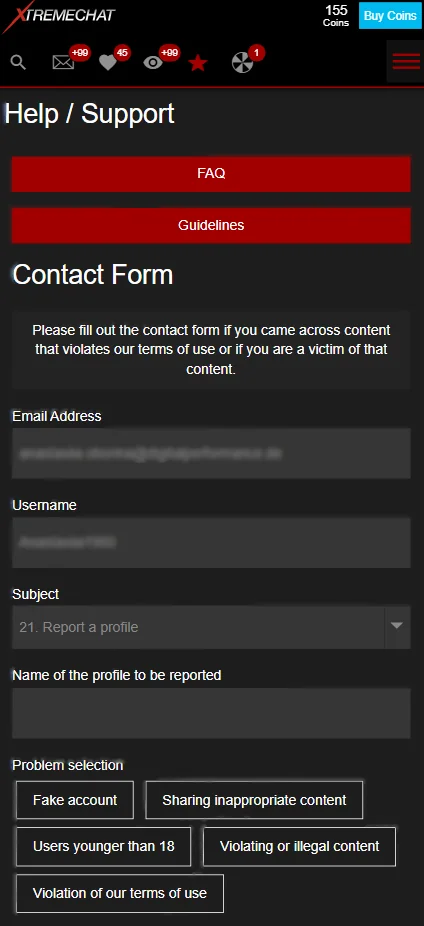
In the event of inappropriate behavior, or if you feel your boundaries have been crossed, please contact user support by filling out our contact form. To do this, go to the menu in the top right-hand corner and click on ‘Help/Support’. Along with reporting options, you will also find a range of other useful tools and tips there.

contact_form

Furthermore, safeguarding your own privacy is essential. Even if a connection feels incredibly special, you should never give out private data. This includes not only your credit card details, but also your real name and phone number. Anonymous chatting is not just a preference, it is part of your security.

XtremeChat Privacy and Data Protection

At XtremeChat, privacy is taken very seriously. Our goal is to provide you with an environment where you remain in control of your experience, while modern security mechanisms work in the background to safeguard your personal data.

How Personal Information Is Handled

For basic use of the service, providing highly sensitive, personally identifiable information is not required. You can set up and use your profile completely anonymously. 

Automatically collected data (such as your IP address when you visit the site) is used exclusively to keep the platform stable and protect it from malicious external cyberattacks.

Secure Connections and Encryption

To keep your chat experience safe and reliable, the platform actively filters out cyberattacks and malicious traffic using a secure global network.

  • Encrypted transit: Crucial processes, such as mandatory age verifications, are fully encrypted. This converts your information into a secure code so it cannot be intercepted by outside parties.
  • Proactive defense: Technical data like your IP address is only analyzed to block digital threats, and it is automatically depersonalized as soon as the platform is secure.

This continuous protection ensures your connection remains private and uninterrupted. All details regarding which specific pieces of information are collected and how they are processed according to legal standards can be found transparently and comprehensively in the platform’s official Privacy Policy.

Account Security on XtremeChat

Maintaining XtremeChat account security is a shared effort. While platform safeguards protect the network, you play a vital role in keeping your profile safe. 

To keep your account as secure as possible, there are several key points to bear in mind when you first register, and it is equally important to continue protecting your account details over time.

Creating a Strong Password

Practicing good password hygiene is your first line of defense against unauthorized access.

  • Be unique: Avoid using common words, your name, or passwords you already use on other websites.
  • The longer, the better: Create a long and complex password. Use at least 12 characters and mix letters, numbers and symbols.
  • Use a password manager: Consider using a secure password manager to generate and store complex login keys automatically. Especially with long passwords, this makes managing your credentials effortless. 

Protecting Your Login Credentials

The platform protects your data on the server side, but local protection is your responsibility.

  • Keep It private: Never share your password or login details with anyone, including individuals claiming to be platform support.
  • Secure devices: Only log in from secure devices that require a passcode, PIN, or biometric check to unlock.
  • Log out: Always log out of your account completely if you ever access the service from a shared computer or public network.

Avoiding Phishing and Scams

Scammers often use deception to bypass technical security features. Staying alert keeps you safe from social engineering tricks.

  • Ignore fake messages: Be skeptical of messages or external emails that mimic official branding or offer unrealistic promotions. XtremeChat will never ask for your password.
  • Do not click: Avoid clicking on suspicious links sent in chats or unverified emails, as they can lead to malicious websites designed to steal your credentials.
  • Report activity: Use the platform’s reporting features immediately if you receive suspicious external links or are asked for your personal information.

Age Verification and Adult Access

XtremeChat operates as an age-restricted platform focused on providing a secure environment for adult interactions. Implementing responsible adult access verification ensures that community standards and local safety regulations are respected.

Why Age Verification May Be Required

XtremeChat is a platform for adult content. As such, users must be 18+ to access explicit content and use the platform.

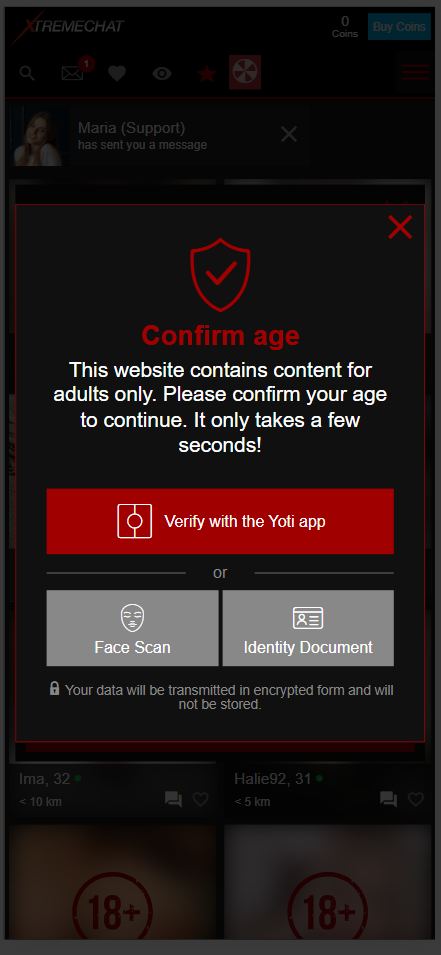
While limited preview access may be available, full access requires age confirmation. If this process is not completed or fails, access to restricted, adult sections will remain unavailable.

confirm age

How XtremeChat Prevents Underage Access

To ensure adult-only access and keep minors safe, the platform utilizes a secure verification process. When validation is required, identity confirmation is processed through an external service partner using encrypted data transmission, ensuring you remain entirely anonymous. The specific partner available to you depends on your location.

Reporting Abuse and Suspicious Activity

XtremeChat is a safe place for everyone. Our content moderation system relies on user reports. That is why it is important for you to report profiles on XtremeChat who exhibit misconduct or suspicious activity.

How to Block or Report a Profile

Whenever you feel your boundaries have been violated, do not hesitate to act. You can block and report. To do this, go to the menu in the upper right corner and click on “Report Profile.” You will also find this button at the bottom of every page.

You will be redirected to the FAQ section. Point 21 covers reporting and provides the contact form. Enter the profile name and explain the problem to us so we can take action.

report a profile

After doing this, you can also block the profile. To do so, open their page and use the block button at the bottom. Please note that once you block a profile, this action cannot be undone. Contact will no longer be possible.

report a profile 2 step

What Happens After a Report

After you submit a report, our support team will investigate. While we cannot guarantee a specific outcome, our team will review the incident and take appropriate action based on our guidelines.

Depending on the severity of the violation, various measures may be applied. These can range from a formal warning to the complete deletion of the profile. In any case, the reported profile will never be informed of who reported them.

Tips for Staying Safe on XtremeChat

For your XtremeChat safety, we have summarized our most important online safety tips: 

  • Create a safe account: Use a strong password. The longer, the better. Additionally, choose a username that is completely unrelated to your real name.
  • Enable email verification: Activating email verification adds an extra layer of defense, making your account significantly more secure.
  • Secure your devices: Always use updated devices and remember to log out when accessing the service from shared or public networks 
  • Keep your personal information private: Even if a chat feels highly familiar, avoid sharing sensitive personal details like your phone number or real name. 
  • Stay safe in chat: Be cautious with external links and never give out any financial or personal data. 

Use the Report button: Do not hesitate to use the reporting features. Even if you are not entirely sure, our support team is trained to investigate and handle the situation safely.

Online sex chat with a close-up portrait of woman flirting online

Frequently Asked Questions

First and foremost, create a strong password. The longer, the better. Secondly, enable email verification. With this tool active, it becomes significantly harder for unauthorized users to access your account.

Yes, XtremeChat allows you to remain completely anonymous. Your real name will never appear on your profile. Instead, you will use a pseudonym. While you need to verify your age for full access to all content, this process is handled securely by one of our partner services, and your verification details will never be displayed on your profile.

You will find the report button at the bottom of every page. Alternatively, you can open the menu in the upper right corner, click on “Support,” and follow the instructions.

Your data will only be shared if specific platform features require it, and only if you actively grant your consent. For detailed information, please review our Privacy Policy.

Account restrictions are evaluated on an individual basis. Please check your account notifications or contact our support team for assistance.


Discover related articles